Introduction
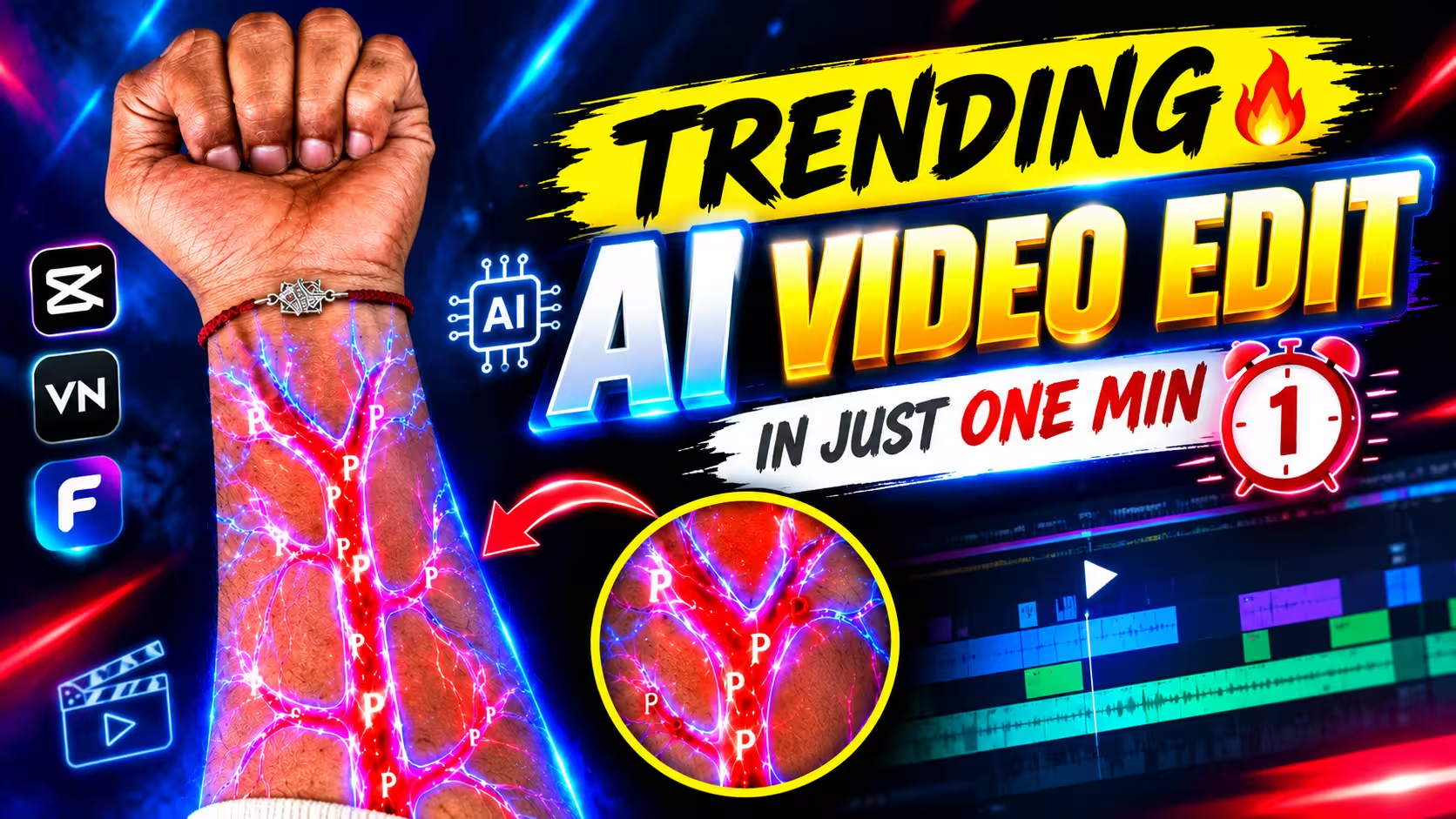
AI photo and video editing trends are becoming increasingly popular on social media. One trend that has caught people’s attention is the AI veins letter video, in which the veins beneath the skin appear to form the first letter of someone’s name. Many people are using this creative effect to represent their partner’s initial and sharing the results on Instagram Stories, Reels, and WhatsApp Status. The interesting part is that you do not need a professional camera or advanced video editing skills to try this trend. You can start with a simple photo of your own wrist and use an AI editing tool to create the desired effect.
In this tutorial, we will explain how to create an AI veins letter video using your own wrist photo and a specially prepared prompt. You will learn how to upload your photo, use the prompt, generate the video, and prepare the final result for social media. You do not need a separate reference video for this method.
What Is AI Veins Letter Video Editing?
AI veins letter video editing is a creative technique that uses artificial intelligence to produce the appearance of a letter formed by the visible veins beneath the skin. For example, someone whose partner’s name starts with K may want the veins on their wrist to resemble the letter K. Unlike a normal photo edit in which a letter is placed over the skin, this effect attempts to integrate the letter into the existing vein pattern. The aim is to make the result look natural while preserving the original wrist, skin tone, and photographic details.
After creating the effect, users can turn the edited image into a short video with subtle motion. Adding a suitable romantic song can make the finished clip more personal and appropriate for sharing on social media. It is important to remember that this is a digitally generated visual effect. AI changes the appearance of the veins in the image or video; it does not alter your actual blood vessels.
What You Need to Create an AI Veins Letter Video
Before starting, prepare the following items:
- Your own wrist photo: A clear photograph showing your wrist and naturally visible veins.
- Access to Google Flow: An account with access to a compatible video generation workflow.
- The special AI prompt: The ready-to-use prompt provided in this article.
- An internet connection: You will need an internet connection to upload your image and generate the video.
- A video editing app (optional): You can use an editing app to add music or make simple finishing adjustments if needed.
You do not need a reference video for this method. Your own wrist photo will serve as the visual reference for the AI generation process.
Video Prompt ⬇️
How to Create an AI Veins Letter Video Using Your Own Wrist Photo
Follow the steps below to create your own AI veins letter video. The process is simple, and you only need a photo of your hand and the special prompt provided in this post.
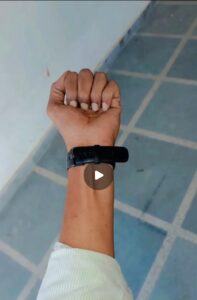
- First, take a clear photo of your hand and wrist using your phone’s camera.
- Next, copy the special AI prompt provided below in this post. Make sure you copy the complete prompt before moving to the next step.
- Now, scroll down a little and click on the Create Your Video button to open Google Flow.
- Once Google Flow opens, click on New Project and select a compatible video generation model. Upload your wrist photo and paste the copied prompt into the prompt box.
- Set the video duration to 10 seconds, if this option is available, and click on the Send or Generate button to start creating your video.
- Wait for the video to finish generating. Once it is ready, watch the result and download it if you are satisfied.
- That’s it! Your AI veins letter video is ready. Now, add a trending song that suits the video and share it on Instagram Reels, Instagram Stories, or WhatsApp Status.
Common Mistakes to Avoid
One common mistake is uploading a blurry or poorly lit wrist photo. If the veins are not clearly visible, the AI tool may struggle to create a natural-looking letter. Always use a clear photo with good lighting, and make sure your wrist is fully visible. Another mistake is forgetting to replace the sample letter in the prompt with your preferred initial. Before generating the video, check that your photo is uploaded correctly and the complete prompt is pasted into the prompt box.
Sometimes, the generated video may have distorted fingers, unnatural veins, or a letter that changes during the animation. To avoid these issues, follow the prompt carefully and keep the requested movement simple. Do not expect perfect results on every attempt, as AI-generated videos can vary. Always preview the final video before downloading it. If the result does not look right, try using a clearer photo or generate the video again with small prompt adjustments.
Frequently Asked Questions (FAQs)
1. What is the AI veins letter video trend?
It is a creative AI editing trend in which the veins visible on a wrist are digitally altered to resemble a letter. People often choose their partner’s initial and turn the result into a short video for social media.
2. Can I create an AI veins letter video using my own photo?
Yes, you can use your own wrist photo as a visual reference in a compatible AI editing workflow. The final result depends on the photo quality, prompt, and capabilities of the selected tool.
3. Do I need a reference video to create this effect?
No. The method explained in this article uses your wrist photo and the special AI prompt. You do not need to download or upload a separate reference video.
4. Can I use my partner’s first letter?
Yes. You can choose the first letter of your partner’s name or any other letter you want to represent. If the prompt includes a placeholder, replace it with your preferred letter before generating the video.
5. Do I need to write my own AI prompt?
No. You can use the special prompt provided in this article. Copy it and follow the instructions in the tutorial. The prompt should be added to the designated section before the article is published.
6. Can I share the generated video on Instagram?
Yes, you can generally share a suitable exported video on Instagram Stories or Reels. Vertical 9:16 framing is commonly used for these formats. Make sure you have the right to use any music you add and follow Instagram’s current content requirements.
Final Thoughts
The AI veins letter video trend offers a creative way to make a personalised video using a simple wrist photograph. By uploading your photo, using the special AI prompt, and following the steps in this tutorial, you can experiment with creating a letter-shaped vein effect without recording a separate reference video. For the best results, start with a clear photograph, follow the prompt carefully, and review the generated video before sharing it. You may need more than one attempt to achieve the appearance you want, so make small adjustments when necessary.
Once your video is ready, you can add suitable music and share it with friends or someone special. Keep the effect natural, respect other people’s privacy when using their photos, and enjoy experimenting with AI-powered creative editing.