Introduction
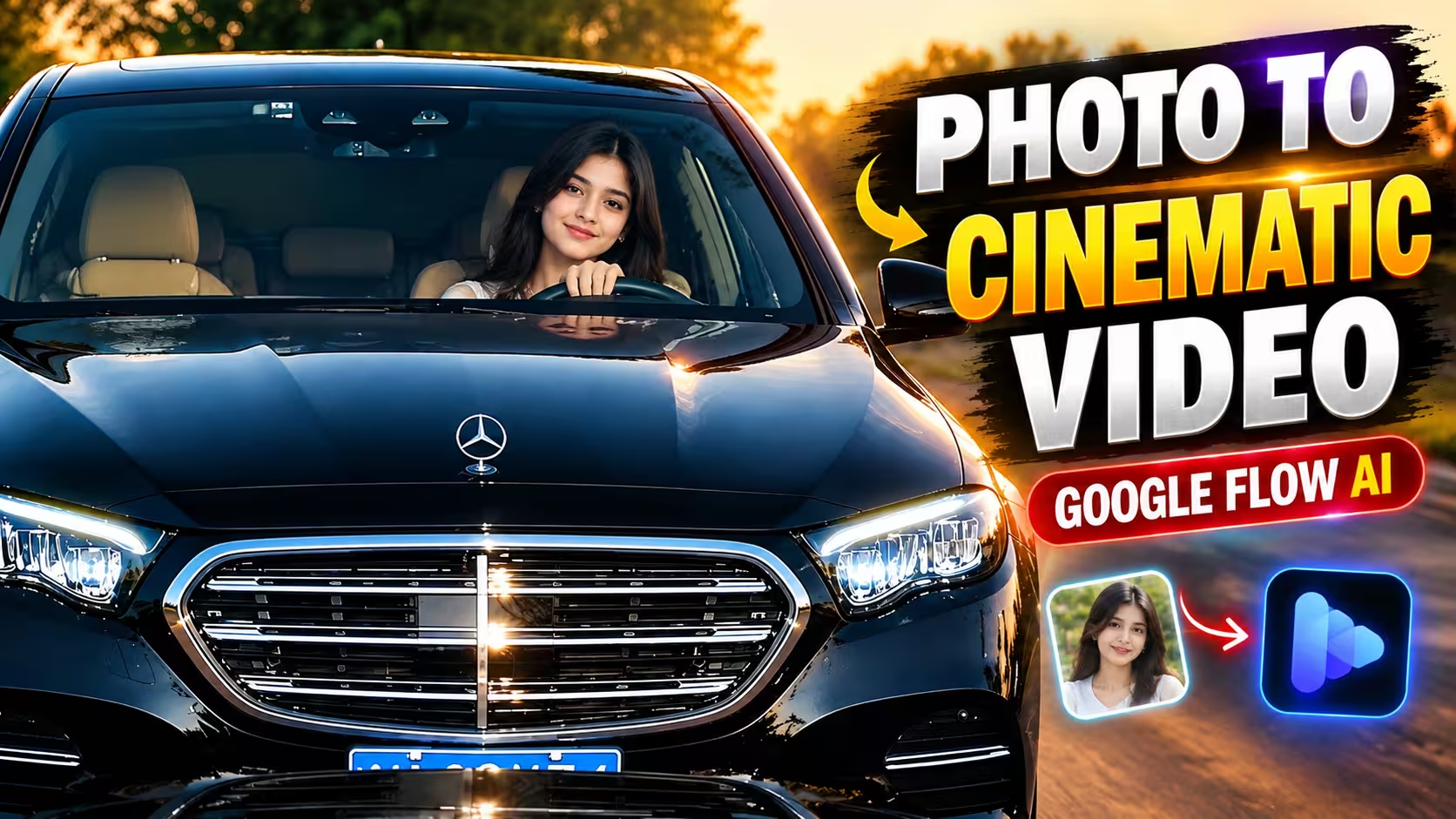
Hello friends, a cinematic luxury car video has recently been getting a lot of attention on social media. In these videos, a person can be seen sitting inside a luxury Mercedes-Benz car, while the camera moves smoothly around the scene. The lighting, reflections and overall presentation make the video look like it was recorded with a professional camera.
The interesting part is that you don’t always need a real car, expensive camera equipment or a professional video setup to create a similar concept. With the help of AI video generation tools, you can start with a single photo and turn it into a short cinematic video.
You may have already seen similar videos on Instagram, Facebook and other short-video platforms. Now you can also experiment with this style using your own photo.
In this article, I will explain what you need, how the process works and how you can create a cinematic Mercedes AI video using Google Flow.
What Is Cinematic Mercedes AI Video?
The cinematic Mercedes video is an example of AI-generated video content. Instead of recording a person inside a real car with a camera, an AI video tool can use an image as a reference and generate movement based on written instructions.
The tool can create elements such as camera movement, facial expressions, body movement, lighting and environmental details. The quality of the result depends on the reference image, instructions and the AI model being used.
With a suitable photo and a detailed prompt, you can create a scene where your uploaded character appears naturally inside a luxury Mercedes-Benz car.
Details of Cinematic Mercedes AI Video
In this article, I will explain the complete process of creating this type of video. The method is useful for beginners because you don’t need advanced video-editing skills.
You mainly need a clear photograph, access to Google Flow and a suitable prompt.
Your reference photo is one of the most important parts of the process. Try to use a sharp image where the face and overall appearance of the person are clearly visible. A clean reference image gives the AI more information to work with.
The final video can include a luxury car interior, realistic lighting, natural facial movement and cinematic camera motion. However, AI-generated videos may not always be perfect on the first attempt, so you may need to generate another version if some details don’t look right.
Video Editing Prompt
Below is the prompt you can use to create the cinematic Mercedes AI video. You can copy the prompt and follow the steps given below to generate your video.
Create an ultra-realistic 10-second cinematic video that looks like genuine footage recorded with a professional real-world camera. The final result must look physically real, not AI-generated, CGI-rendered, digitally composited or computer-generated. Use the uploaded character image as the exact identity reference. If a reference video is provided, closely follow it for the car, camera movement, framing, timing, environment, lighting, transitions and actions. Preserve the person’s exact identity and appearance throughout the entire video, including the same face shape, eyes, eyebrows, nose, lips, jawline, skin tone, hairstyle, facial hair, age, natural facial proportions, body proportions and clothing. Do not beautify, reshape or modify the face. Keep realistic skin pores, natural texture, tiny imperfections and normal facial asymmetry. No face morphing, identity drift, facial warping or sudden changes in appearance.
The person must look like a real human physically sitting inside the car. Use natural facial expressions, realistic blinking, subtle breathing, believable eye movement and smooth head movement. Hair should retain realistic individual strands and move naturally. Hands must have correct human anatomy, five fingers on each hand, natural joints and realistic wrist and finger movement. Never create extra, fused, missing or deformed fingers.
The vehicle must be a realistic black Mercedes-Benz luxury sedan with authentic metallic paint, clear-coat reflections, Mercedes emblem, grille, LED headlights, windshield, mirrors, tires, body panels, steering wheel, dashboard and beige or cream leather interior. The car must look like a real photographed vehicle, not a 3D model. Reflections on the paint and glass must match the surrounding environment naturally. The windshield should have realistic transparency, reflections, subtle tint, glare and refraction.
Use authentic professional-camera characteristics such as natural exposure, realistic dynamic range, soft highlight roll-off, believable depth of field, natural focus transitions, realistic motion blur, subtle sensor grain, natural contrast and physically accurate shadows. Avoid excessive sharpness, glossy surfaces, oversaturation, HDR effects, artificial glow and the typical plastic appearance of AI-generated footage.
The camera must behave like a real physical camera. If a reference video is available, reproduce its camera position, perspective, framing, movement, speed and timing as closely as possible. Do not invent unnecessary camera movements, digital zooms, drone shots or orbiting movements. When the Mercedes approaches the camera, its increasing size must result from real physical movement and changing perspective, not digital zoom. Keep the car, camera and environment physically consistent.
Start with an exterior front-facing shot of the black Mercedes approaching the camera. Match the composition and movement of the reference video. As the car comes closer, naturally reveal the grille, Mercedes emblem, headlights, hood and windshield. The driver remains physically seated inside the car, with realistic windshield reflections partially interacting with the face. At the same point as the reference, transition naturally into the interior shot without adding an unrelated transition.
Inside the car, show the person naturally seated in the driver’s seat with the steering wheel visible in the foreground and the beige or cream interior clearly visible. The person initially looks toward the camera with a calm expression. During the first 1.2 seconds, maintain a relaxed posture with subtle breathing and natural blinking. From 1.2 to 2.5 seconds, the person slowly leans slightly toward the camera, begins smiling and gradually lifts one hand away from the steering wheel. The movement must naturally follow the shoulder, elbow, wrist and fingers.
From 2.5 to 3.8 seconds, raise the hand beside the face and make a casual two- or three-finger gesture. The wrist and fingers must move naturally while the person slightly tilts the head and maintains eye contact with the camera. The expression becomes subtly playful and confident. From 3.8 to 5.2 seconds, gradually lower the hand, widen the smile slightly and allow natural cheek and eye movement. The head then returns partially toward the center while the shoulders and neck follow naturally. Continue the remaining movement and final expression according to the reference video.
Keep the lighting realistic and consistent with the scene. Use soft nighttime illumination and subtle dashboard lighting inside the car. Light must naturally interact with the skin, hair, windshield, metal, chrome, steering wheel and leather. Maintain realistic skin tones, black car paint and natural interior colors. Throughout the entire video, keep the person’s identity, clothing, body proportions, car, interior, lighting and environment consistent from frame to frame. No object should randomly change shape, disappear or transform. Prioritize realistic physics, natural human movement, accurate perspective, stable identity and genuine camera characteristics. The final video should look like authentic professional footage of the same person sitting inside a real black Mercedes-Benz.
How To Create Cinematic Mercedes AI Video
- First of all, open Google Flow and sign in with your Google account.
- After opening Google Flow, start a New Project to begin creating your video.
- Now click on the Plus (+) icon and upload the photo you want to use as the reference image. Make sure the photo is clear and of good quality for better results.
- After uploading the image, select the Frame to Video option. This allows you to generate a video based on the uploaded image.
- Now select your uploaded image as the reference frame. For this type of short cinematic video, you can choose a 10-second duration and a 16:9 aspect ratio.
- After that, copy the cinematic Mercedes video prompt from this article and paste it into the prompt box.
- Once everything is ready, click on the Generate/Send button.
- Google Flow will process your image and instructions and begin generating the video. The generation time can vary depending on the current tool interface and server load.
- When the video is ready, watch the complete clip carefully. Check the person’s face, hands, body movement, car interior, lighting and camera motion.
If the first result doesn’t look the way you expected, you can generate another version. Small changes to the instructions or using a better reference image can sometimes improve the result.
Create Your Video
How To Get Better Results?
The quality of the reference image plays an important role in the final video. Use a clear and sharp photograph with the person’s face easily visible.
Avoid extremely blurry, dark or heavily edited images. When important details are unclear in the original photo, the AI may have difficulty maintaining them consistently in the generated video.
It is also better to keep the movements natural. Simple head movements, subtle expressions and smooth camera motion generally look more realistic than very fast or complicated actions.
Lighting should also feel consistent throughout the scene. The person’s face, car interior, windows and surrounding environment should appear as though they are part of the same setting.
If you notice a problem in the generated result, don’t change everything at once. Identify the specific issue and make a small adjustment before generating another version. This makes it easier to understand what improves the output.
Common Mistakes To Avoid
One common mistake is using a low-quality reference photo. A blurry or heavily edited image can make it harder for the AI to maintain facial details.
Another mistake is expecting every generation to be perfect. AI-generated videos can sometimes contain small inconsistencies, particularly around hands, facial expressions, clothing or reflections.
Using too many complicated instructions can also make the result less predictable. Focus on the important details you want the AI to follow.
Finally, always watch the complete video before downloading or sharing it. Check whether the person’s appearance, movement and overall scene remain consistent from beginning to end.
FAQ
1. Can I create a cinematic Mercedes video from one photo?
Yes. You can use a single photograph as the main reference and create a short AI-generated video from it. The AI generates movement and other visual elements according to the instructions you provide.
2. Do I need professional video editing skills?
No. You don’t need advanced editing knowledge for this method. The main process involves uploading your image, selecting the appropriate video option and providing a suitable prompt.
3. What type of photo should I use?
Use a clear, sharp and good-quality photo. The face should be visible and the image should not be extremely dark, blurry or heavily filtered.
4. Why does my generated video sometimes look unrealistic?
AI video generation can sometimes produce inconsistencies in areas such as hands, facial details, movement, reflections or clothing. Using a better reference image and generating another version can help.
5. Can I use a different car instead of Mercedes?
Yes. The same basic concept can be adapted to different cars and environments. You can experiment with other vehicles, locations and cinematic styles.
6. Can I share the generated video on social media?
Yes, you can use AI-generated videos for social media content, provided that your content follows the rules of the platform. Also make sure you have the necessary rights to use any photos, videos, music or other reference material included in your project.
Conclusion
Creating a cinematic luxury car video from a single photo is a simple example of how AI video-generation tools can transform static images into moving content.
With a clear reference photo, suitable instructions and Google Flow, you can experiment with creating a realistic-looking Mercedes car scene without recording the entire setup yourself.
The result can vary depending on the quality of your photo, the instructions you provide and the AI generation process. If the first attempt doesn’t look right, you can make small adjustments and try again.
Once you understand the basic process, you can experiment with different cars, locations, camera movements and visual styles to create your own AI-generated videos.