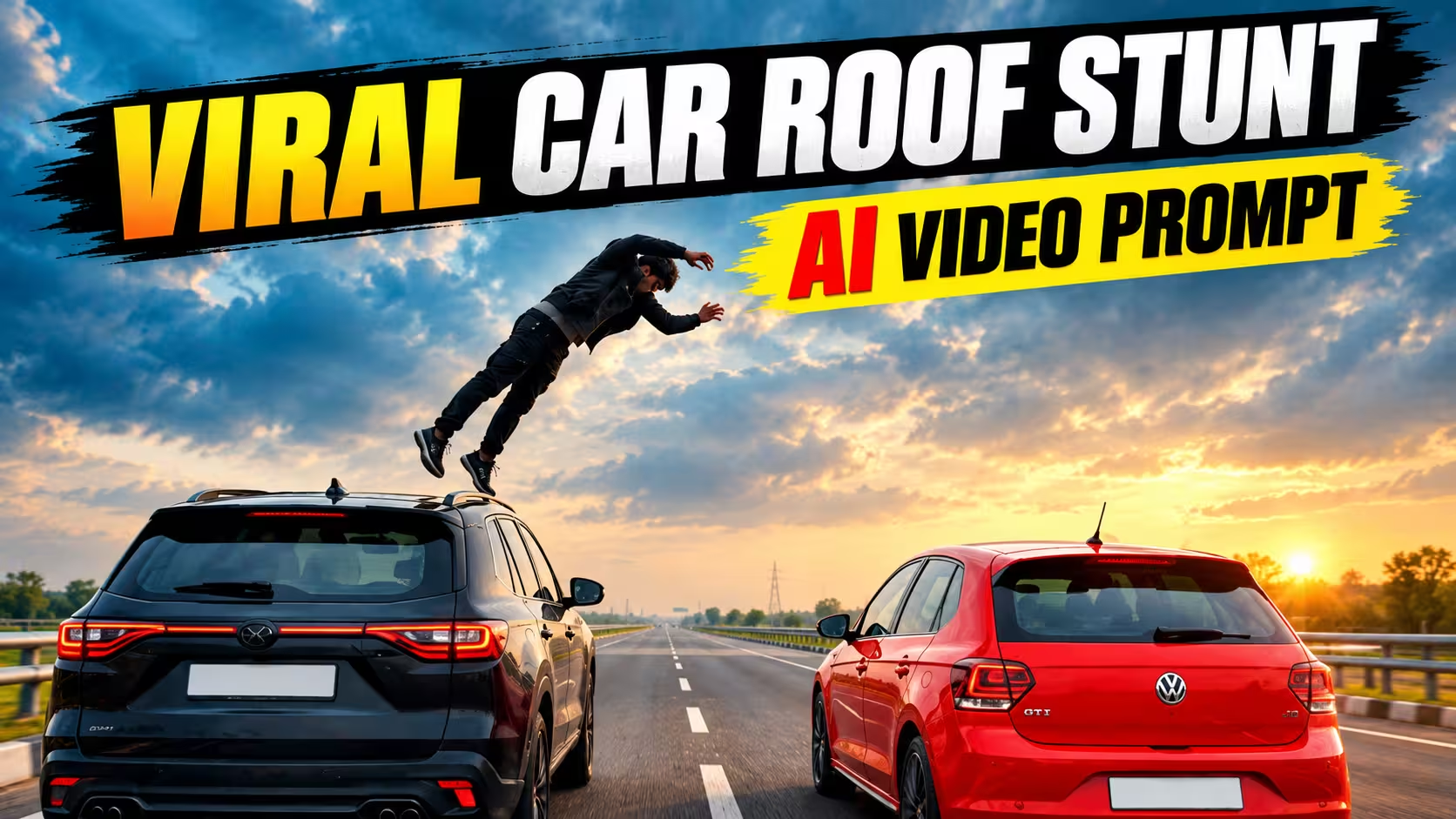
Nowadays, AI video editing is making it possible to create some really interesting videos from a simple photo. One such trend is the car roof stunt AI video, where a person appears on a moving car, jumps toward another car, performs a backflip in the air, and lands on the second vehicle.
The best part is that you can create a similar cinematic AI video using your own photo. You don’t need to record the stunt yourself. With Google Gemini and the right prompt, the whole scene can be generated with AI.
In this article, I’ll show you how to create this viral car stunt video from your photo and share the prompt that you can copy and use.
What Is This Viral AI Video Trend?
The video is based on a simple action scene. Two cars are moving on a highway, and the person is standing on the roof of one car. After a moment, the person jumps toward the second car, performs a backflip and lands on its roof.
Because AI creates the movement, camera angle, lighting and surroundings, the final result can look like a short action scene from a movie.
You can use your own photo as the main character and change the cars, location and overall look according to your choice.
Why This Video Is Popular on Instagram
This type of AI video is becoming popular on Instagram because it looks surprising and instantly grabs attention. A normal photo is transformed into a dramatic car stunt that looks like a scene from an action movie. The unexpected jump, fast movement, cinematic camera angle, and realistic-looking cars make people stop scrolling and watch the video. Using your own face in such a scene makes it even more interesting because viewers can imagine themselves doing the same stunt.
Another reason is that these videos are easy to share and recreate. People often become curious about how the video was made when they see a familiar person performing an impossible-looking stunt. This creates comments, shares, saves, and repeat views. The short format also works well with Instagram Reels, where visually impressive AI edits can quickly attract attention.
Video Prompt ⬇️
How to Create the Viral Car Roof Stunt AI Video
Below, I am explaining the complete process of creating the car roof stunt video. Read the steps carefully and follow them one by one. You can easily create your own AI stunt video by following this process.
- First, copy the AI video prompt given in this post.
- After that, download the Google Gemini app from the Google Play Store and log in using your Gmail account.
- Click on the Plus (+) icon, select the available video model, and then upload your own photo.
- Paste the copied prompt along with your uploaded image and tap Send.
- Now, Google Gemini will start processing your photo and creating the video. After a short while, your car roof stunt AI video will be ready.
Create Your Video
How to Make Your Video More Cinematic
If you want your AI-generated car stunt video to look more cinematic, focus on the camera movement, lighting and overall scene rather than adding too many effects. Use a smooth tracking shot that follows the cars and keeps the main action clearly visible. Golden-hour or sunset lighting can add a natural movie-like feel, while realistic shadows and reflections can make the cars look more believable. You can also ask the AI to add a slight depth-of-field effect and natural motion blur during the fast movement.
Another simple way is to keep the scene clean and avoid unnecessary objects or extra characters. Make sure the person’s face, clothes and body proportions remain consistent throughout the clip. After generating the video, you can make small adjustments in your editing app, such as trimming unnecessary frames, adding suitable music and slightly adjusting the brightness or contrast. These small changes can make the final video feel much more polished and cinematic.
Common Mistakes to Avoid While Creating the Video
When creating an AI car stunt video, a few small mistakes can affect the final result. Avoid using a blurry or low-quality photo, as the AI may struggle to keep your face and appearance consistent. It is also better not to make the prompt too complicated. If you add too many characters, cars or different actions, the AI may produce confusing movements or unwanted changes.
Another common mistake is expecting the first generation to be perfect. AI videos can sometimes have problems such as distorted hands, changing faces, unrealistic car movement or an incomplete stunt. Try generating the scene again or make small changes to the prompt. Also, avoid adding too many filters and effects during editing. Keep the video clean, use suitable music, and make sure the main action remains easy to see.
What Is Google Gemini?
Google Gemini is an AI assistant developed by Google that can understand text, images and other types of content. It can help users create ideas, write content, answer questions and work with images. Gemini can also be used for creative AI tasks, including generating or editing visual content when the required features are available. In this tutorial, we use Gemini to help create a cinematic AI video from a photo and a detailed prompt.
Frequently Asked Questions
Can I create this AI video using my own photo?
Yes. You can upload your photo as a reference and use the AI video prompt to create the scene. A clear, high-quality photo usually gives better results.
Do I need any professional video editing skills?
No. You only need basic editing skills to trim the generated video, add music and make a few simple adjustments before sharing it.
Can I change the cars in the video?
Yes. You can change the car models, colours and even the location by modifying the prompt according to your idea.
Why does the AI sometimes change my face?
AI video generation may sometimes have difficulty maintaining the same identity during fast movements. Using a clear reference photo and adding identity-preservation instructions can help.
Can I make this video in 9:16 format?
Yes. You can mention 9:16 vertical format in your prompt, which is suitable for Instagram Reels and YouTube Shorts.
Is the car stunt real?
No. The video is created using AI and is meant to be a fictional visual effect. Never try to recreate dangerous stunts involving moving vehicles in real life.
Final Thoughts
Creating a viral car roof stunt video with AI is a fun way to turn a simple photo into an exciting cinematic scene. With Google Gemini, a good reference photo and the right prompt, you can experiment with different cars, locations and camera styles without recording the stunt yourself.
The first result may not always be perfect, so try a few generations and make small changes to the prompt when needed. Once you get a good result, add suitable music and simple editing to give the video a polished look. Most importantly, keep the content creative and remember that the stunt should remain an AI-generated effect, not something to attempt in real life.