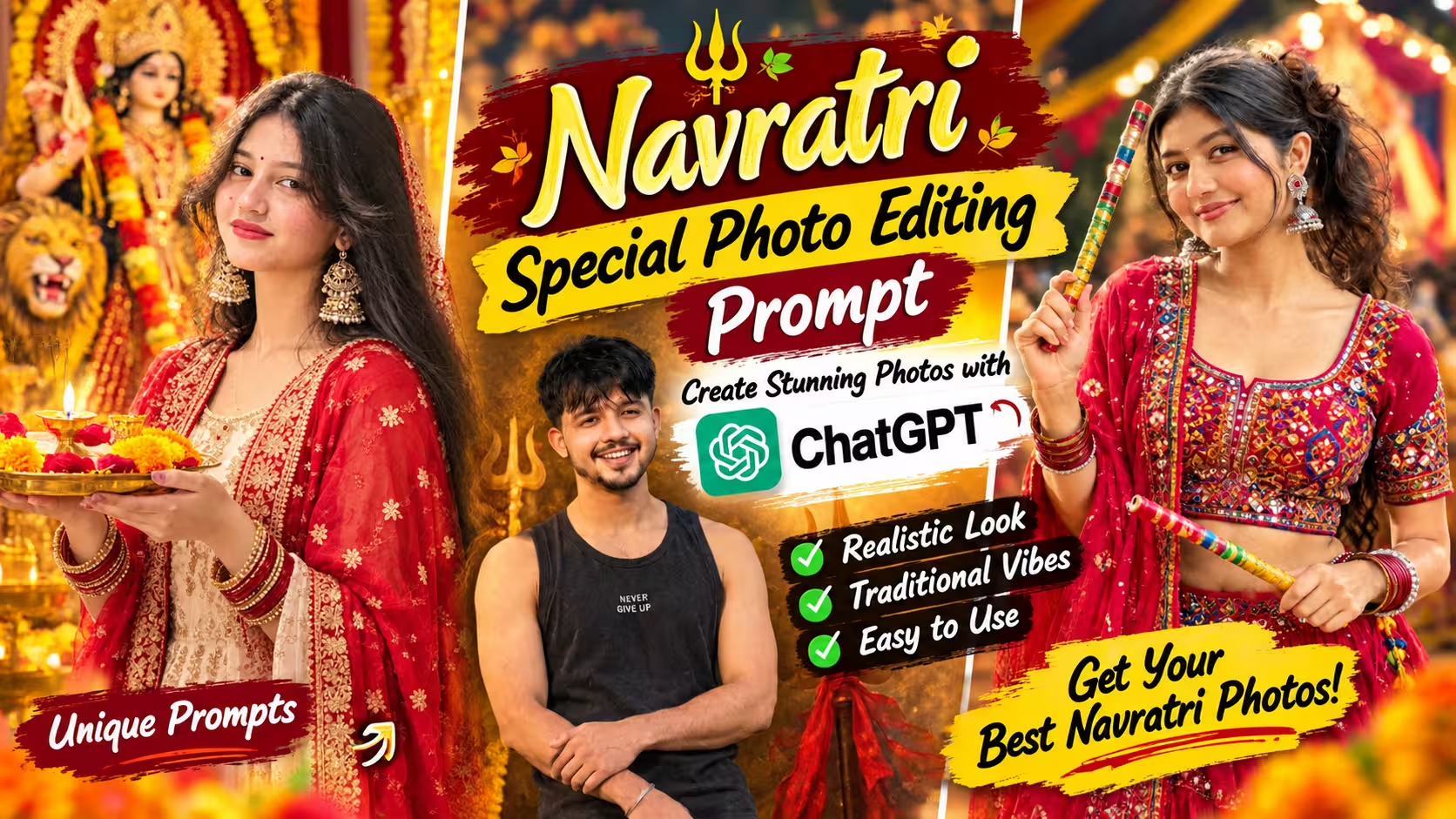
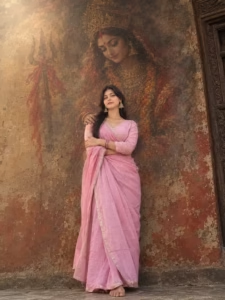
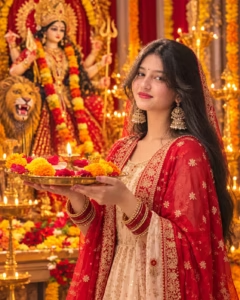
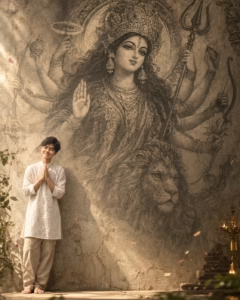
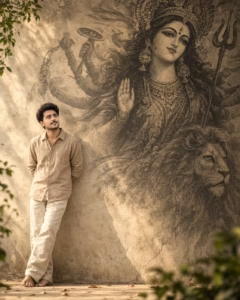
Navratri is a special time when people celebrate devotion, happiness, and the beauty of Indian traditions. During these nine days, many people wear traditional outfits, visit temples, take festive pictures, and share their favorite moments on Instagram, Facebook, and other social media platforms. Along with traditional photography, AI photo editing has also become a fun way to create unique Navratri-themed pictures. If you have seen beautiful AI portraits featuring a person standing in front of a giant Maa Durga artwork, holding an aarti thali inside a decorated temple, or posing beside a traditional devotional mural, you may have wondered how to create similar images using your own photo.
The good news is that you can try creating these styles with ChatGPT and a well-written photo editing prompt. You do not need professional photography equipment or advanced editing skills. A suitable reference photo and a clear description of the result you want can help you get started. In this article, you will learn about trending Navratri photo styles, how to write effective AI photo editing prompts, examples you can customize, common mistakes to avoid, and practical tips for getting more realistic results.
What Is Navratri AI Photo Editing?
Navratri AI photo editing is a way to transform an ordinary photograph into a festive, devotional, or artistic portrait using an AI image generation or editing tool.
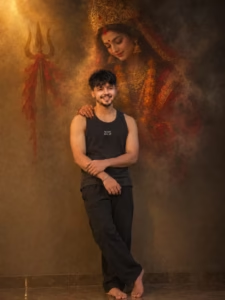
For example, you can use a regular photo of yourself and ask an AI tool to create a traditional look with a cream-colored kurta, a red dupatta, warm temple lighting, and a beautifully decorated Maa Durga idol in the background. You can also create a more artistic image in which your full-body portrait appears in one corner while a large charcoal-style illustration of Maa Durga fills the background.
The main attraction of this editing style is the combination of personal photography and traditional Indian artwork. Instead of using the same ready-made festival template as everyone else, you can experiment with different outfits, backgrounds, lighting, and poses. However, the final result depends on the quality of your original photo, the instructions you provide, and the image editing capabilities available in the tool you choose.
Why Are Navratri AI Photo Editing Prompts Popular?
One reason these prompts are popular is that they make creative photo editing easier for beginners. You can describe the image you want in simple English instead of manually changing every detail in a photo editing application. Another reason is the variety of styles you can explore. Some people prefer colorful portraits with red and gold decorations, while others like minimal devotional posters with an ivory background and charcoal artwork. Both styles can look attractive when the composition, lighting, and facial details are handled well.
These images are also useful for personal social media posts, festive greetings, profile pictures, and creative content. You can adjust the prompt to match your own taste rather than following a fixed design. Still, there is no guarantee that every generated picture will look realistic on the first attempt. Small changes to the prompt can make a noticeable difference, so experimenting with different descriptions is often worthwhile.
Navratri Special Photo Editing Prompts
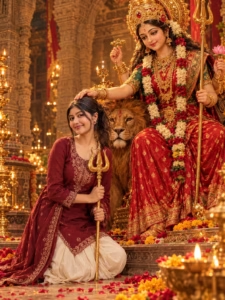
How to Create Navratri AI Photo with ChatGPT
Creating a Navratri special photo with ChatGPT is simple. You only need a suitable photo, a well-written prompt, and access to the image generation feature. Follow the steps below to get started.
- First, choose a clear photo of yourself. Make sure your face is visible and the image has good lighting.
- After that, open the ChatGPT app on your phone and log in to your account.
- Return to this post and copy the Navratri photo editing prompt you want to use.
- Open a new chat and tap the plus (+) icon to upload your photo, if the option is available.
- Select your photo and paste the copied prompt into the message box.
- Read the prompt once to make sure it matches the style you want, then send your request.
- ChatGPT will process your instructions and attempt to generate a Navratri-themed image based on your photo.
- Once the image is ready, check the face, clothing, pose, and background. If something looks incorrect, ask ChatGPT to make the necessary changes.
- Finally, save the finished image using the available image options and share it on Instagram, Facebook, or other social media platforms if you wish.
How to Get More Realistic Results
To get more realistic results, start by uploading a clear, high-quality photo in which your face is easily visible. Use the Navratri photo editing prompt provided in this article and upload your own photo as a reference. A well-lit image with natural facial features can help the AI create a more realistic result. Avoid using blurry or heavily filtered photos, as they may affect the final image quality.
After generating the image, check whether your face, clothing, body proportions, and background look natural. If something appears incorrect, ask the AI to fix that specific detail while keeping your original facial identity unchanged. You can also request realistic skin texture, natural lighting, accurate shadows, and detailed Navratri decorations. Follow the prompt carefully, and if the first result does not meet your expectations, try generating the image again for a better outcome.
Common Mistakes to Avoid
One common mistake when creating Navratri AI photos is uploading a blurry or low-quality reference image. This can make facial features look different or unnatural in the final result. Another mistake is not following the provided prompt properly or forgetting to upload your own photo before generating the image. Sometimes, AI may also create unrealistic hands, incorrect clothing details, unnatural skin textures, or background elements that do not match the desired style.
To avoid these problems, always use a clear photo and copy the prompt carefully. After generating the image, check the face, outfit, lighting, and overall composition. If anything looks incorrect, ask the AI to fix that particular detail instead of generating an entirely different image. Avoid adding too many extra instructions at once, as they may change the original concept. Remember that results can vary depending on the reference photo and AI model you use.
Why Choose ChatGPT for Navratri Photo Editing?
ChatGPT can help you create or refine image prompts and, when image generation is available in your account, generate or edit images from your instructions and uploaded photo.
One useful feature is the ability to describe several visual details together. You can specify your clothing, pose, facial appearance, background, lighting, image ratio, and overall mood in a single prompt. For instance, you could request a realistic devotional portrait with traditional Indian clothing and warm golden lighting. Alternatively, you could describe a large Maa Durga charcoal mural on a textured wall, with your portrait placed toward the left side of the frame.
You can also ask for adjustments if the first result is not quite right. If the background is too busy, you can request a simpler composition. If the clothing looks too modern, you can ask for more traditional embroidery and fabric details. Keep in mind that results may vary. AI tools do not always follow every instruction perfectly, and facial resemblance, hands, jewelry, and fine details may require additional attempts.
FAQ
1. How can I create a Navratri AI photo using ChatGPT?
You can create a Navratri AI photo by uploading your own picture to ChatGPT and using the Navratri photo editing prompt provided in this article. Follow the prompt instructions to generate your desired image.
2. Can I use my own photo with the Navratri AI prompt?
Yes, you can upload your own photo as a reference. A clear, well-lit picture can help the AI create a more realistic result while attempting to preserve your facial features.
3. Do I need photo editing skills to create these images?
No, advanced photo editing skills are not necessary. You can use the provided prompt and follow the instructions to generate your image. You may need to make a few adjustments to get the result you want.
4. Why does my AI-generated photo look different from my original face?
AI may sometimes change facial features during image generation. Try uploading a clearer reference photo and ask the AI to preserve your original facial identity more accurately.
5. Can I share my Navratri AI photo on Instagram or Facebook?
Yes, you can share your generated photo on social media. Before posting, review the image carefully and make sure it looks the way you want.
Final Thoughts
Creating a beautiful Navratri AI photo is a simple and creative way to celebrate the festival with a traditional and devotional look. With the reference photo and Navratri photo editing prompt shared in this article, you can experiment with different styles and create an image that suits your personality. You do not need professional editing skills to get started; just follow the instructions and make small adjustments whenever necessary.
Remember that every AI-generated result may look different, so do not worry if your first attempt is not perfect. Try improving the lighting, background, or facial details until you are satisfied with the image. I hope this Navratri photo editing prompt helps you create a beautiful picture to share with your friends and family. Happy Navratri!